背景
最近发现有同事用libresbc做sbc,有点好奇,所以就研究一下。
libresbc 是一个基于 freeswitch和kamailio的sbc解决方案, 提供webui进行页面配置,
其官方代码地址为: libresbc,
目前有440+的star, 说明有一定的用户关注和使用。
本次使用docker编译部署安装,以下为部署步骤。
编译
- 克隆代码
1
|
git clone https://github.com/hnimminh/libresbc.git
|
- 在
libresbc/build/docker找到Dockerfile和docker-compose.yml文件, 我的完整Dockerfile如下:
 1
 2
 3
 4
 5
 6
 7
 8
 9
10
11
12
13
14
15
16
17
18
19
20
21
22
23
24
25
26
27
28
29
30
31
32
33
34
35
36
37
38
39
40
41
42
43
44
45
46
47
48
49
50
51
52
53
54
55
56
57
58
59
60
61
62
63
64
65
66
67
68
69
70
71
72
73
74
75
76
77
78
79
80
81
82
83
84
85
86
87
88
|
FROM debian:bullseye AS builder

ENV LIBRE_CONTAINERIZED 1
ENV LIBRE_BUILTIN_FIREWALL 0
ENV LIBRE_REDIS 1

# 使用阿里云 Debian 源
RUN echo 'deb http://mirrors.aliyun.com/debian/ bullseye main non-free contrib\n\
deb-src http://mirrors.aliyun.com/debian/ bullseye main non-free contrib\n\
deb http://mirrors.aliyun.com/debian-security/ bullseye-security main\n\
deb-src http://mirrors.aliyun.com/debian-security/ bullseye-security main\n\
deb http://mirrors.aliyun.com/debian/ bullseye-updates main non-free contrib\n\
deb-src http://mirrors.aliyun.com/debian/ bullseye-updates main non-free contrib' \
> /etc/apt/sources.list

# BASE SOFTWARE
RUN apt-get update && DEBIAN_FRONTEND=noninteractive apt-get -yq install \
# base
    git curl wget lsof vim redis procps\
    sngrep tcpdump net-tools rsyslog logrotate rsync nftables chrony \
# build
    build-essential make cmake gnupg2 automake autoconf g++ gcc 'libtool-bin|libtool' pkg-config \
# general
    libssl-dev zlib1g-dev libdb-dev unixodbc-dev libncurses5-dev libexpat1-dev libgdbm-dev bison erlang-dev libtpl-dev libtiff5-dev uuid-dev \
# core
    libpcre3-dev libedit-dev libsqlite3-dev libcurl4-openssl-dev openssl libcrypto++8 nasm\
# codecs
    libogg-dev libspeex-dev libspeexdsp-dev libopus-dev libopencore-amrwb-dev libopencore-amrwb0 \
    libvo-amrwbenc-dev libvo-amrwbenc0  libopencore-amrnb-dev libopencore-amrnb0 \
# languages
    python3 python3-dev python3-pip python-setuptools liblua5.2-dev lua5.2 luarocks lua-curl\
# mods
    libavformat-dev libswscale-dev libavresample-dev libpq-dev\
    libsndfile1-dev libflac-dev libogg-dev libvorbis-dev flite1-dev \
# kams
    flex gdb libxml2-dev libunistring-dev libhiredis-dev

RUN mkdir -p /run/redis /opt/libresbc /var/log/libresbc/cdr
COPY libresbc-0.7.2/callng /opt/libresbc/callng
COPY libresbc-0.7.2/liberator /opt/libresbc/liberator
COPY libresbc-0.7.2/build/ansible/roles/platform/files/modules.conf /opt/libresbc/modules.conf

COPY  third-package/libks /usr/src/libs/libks
COPY  third-package/sofia-sip /usr/src/libs/sofia-sip
COPY  third-package/spandsp  /usr/src/libs/spandsp
COPY  third-package/signalwire-c   /usr/src/libs/signalwire-c
COPY  third-package/freeswitch /usr/src/freeswitch
COPY  third-package/mod_bcg729 /usr/local/src/mod_bcg729
COPY  third-package/kamailio-5.7.1_src.tar.gz  /usr/local/src/

# FREESWITCH
# RUN git clone https://github.com/signalwire/libks /usr/src/libs/libks && \
#     git clone --branch v1.13.17 https://github.com/freeswitch/sofia-sip.git /usr/src/libs/sofia-sip && \
#     git clone https://github.com/freeswitch/spandsp /usr/src/libs/spandsp && \
#     git clone https://github.com/signalwire/signalwire-c /usr/src/libs/signalwire-c && \
#     git clone --branch v1.10.11-libre-a https://github.com/hnimminh/freeswitch.git /usr/src/freeswitch && \
RUN cp /usr/include/opencore-amrwb/dec_if.h /usr/src/freeswitch/src/mod/codecs/mod_amrwb/dec_if.h && \
    cp /usr/include/vo-amrwbenc/enc_if.h /usr/src/freeswitch/src/mod/codecs/mod_amrwb/enc_if.h && \
    cp /usr/include/opencore-amrnb/interf_enc.h /usr/src/freeswitch/src/mod/codecs/mod_amr/interf_enc.h && \
    cp /usr/include/opencore-amrnb/interf_dec.h /usr/src/freeswitch/src/mod/codecs/mod_amr/interf_dec.h

RUN cd /usr/src/libs/libks && cmake . -DCMAKE_INSTALL_PREFIX=/usr -DWITH_LIBBACKTRACE=1 && make install && \
    cd /usr/src/libs/sofia-sip && ./bootstrap.sh && ./configure CFLAGS="-g -ggdb" --with-pic --with-glib=no --without-doxygen --disable-stun --prefix=/usr && make -j`nproc --all` && make install && \
    cd /usr/src/libs/spandsp && git checkout 0d2e6ac && ./bootstrap.sh && ./configure CFLAGS="-g -ggdb" --with-pic --prefix=/usr && make -j`nproc --all` && make install && \
    cd /usr/src/libs/signalwire-c && PKG_CONFIG_PATH=/usr/lib/pkgconfig cmake . -DCMAKE_INSTALL_PREFIX=/usr && make install && \
    cd /usr/src/freeswitch && cp /opt/libresbc/modules.conf /usr/src/freeswitch/modules.conf && \
    ./bootstrap.sh -j && ./configure -C --prefix=/usr/local --with-rundir=/run/freeswitch --with-logfiledir=/var/log/freeswitch/ --enable-64 --with-openssl && make -j`nproc` && make install

RUN  cd /usr/local/src/mod_bcg729 && make && make install

# KAMAILIO
RUN tar -xzvf /usr/local/src/kamailio-5.7.1_src.tar.gz -C /usr/local/src && cd /usr/local/src/kamailio-5.7.1 && \
    make cfg && make include_modules="jsonrpcs ctl kex corex tm tmx outbound sl rr pv maxfwd topoh dialog usrloc registrar textops textopsx siputils sanity uac kemix auth nathelper tls debugger htable pike xlog app_lua regex utils" cfg && \
    make all && make install


RUN pip config set global.index-url https://mirrors.aliyun.com/pypi/simple/ \
    && chmod +x /opt/libresbc/callng/requirement.sh && /opt/libresbc/callng/requirement.sh &&\
    pip3 install -r /opt/libresbc/liberator/requirements.txt

# LAYOUT & CLEANUP
RUN rm -rf /usr/src/freeswitch-1.10.9.tar.gz /usr/local/freeswitch/conf/* /usr/local/src/kamailio* && \
    apt-get clean && rm -rf /var/lib/apt/lists/* && \
    ln -nfs /opt/libresbc/callng /usr/local/share/lua/5.2/callng && \
    ln -nfs /opt/libresbc/callng /usr/local/share/freeswitch/scripts/callng

WORKDIR /opt/libresbc/liberator
CMD ["/usr/bin/python3", "/opt/libresbc/liberator/main.py"]
|
相对于官方的Dockerfile, 我做了以下修改:
- 使用
阿里云的debian源。
- 提前下载
libresbc的依赖, 包括freeswitch, kamailio, mod_bcg729, libks, spandsp,signalwire-c,sofia-sip包。
我的third-package目录有以下文件:
1
2
3
4
5
6
7
|
libks
sofia-sip
spandsp
signalwire-c
freeswitch
mod_bcg729
kamailio-5.7.1_src.tar.gz
|
- 替换
pip install的镜像源为阿里云源:pip config set global.index-url https://mirrors.aliyun.com/pypi/simple/
- 修改
libresbc/calling/requirement.sh文件, 替换moonjson为lua-cjson,并调整安装顺序:
1
2
3
4
5
6
7
8
9
|
apt-get install -yq libcurl4-openssl-dev lua-curl
/bin/ln -s /usr/include/x86_64-linux-gnu/curl /usr/include/
/usr/bin/luarocks install luasocket 3.0rc1-2
/usr/bin/luarocks install luaposix 35.0-1
/usr/bin/luarocks install luasec 1.2.0-1
/usr/bin/luarocks install lua-curl 0.3.13-1
/usr/bin/luarocks install luaredis 2.1.0-0
/usr/bin/luarocks install http 0.3-0
/usr/bin/luarocks install lua-cjson
|
如果不做这样的调整,luarocks install安装时,会因为相关的依赖没安装好,导致安装失败。
然后把libresbc/liberator/kamcfg/layer.j2.lua和libresbc/callng/utilities.lua中的json=require("json")替换为json=require("cjson")。
- 修改
libresbc/liberator/main.py中的http监听服务, 调整为:
1
|
uvicorn.run('api:httpapi', host='127.0.0.1', port=8080, workers=4,loop='asyncio', access_log=False)
|
新增了loop='asyncio'参数, 用于指定uvicorn的事件循环为asyncio,不然服务运行时无法监听8080端口。
- 调整
libresbc/calling/utilities.lua中redis的auth顺序:
1
2
3
4
5
|
if rdbstate then
    rdbconn = redis.connect(REDIS_HOST, REDIS_PORT, REDIS_TIMEOUT)
    if REDIS_PASSWORD then rdbconn:auth(REDIS_PASSWORD) end
    if REDIS_DB ~= 0 then rdbconn:select(REDIS_DB) end
end
|
要先auth再select数据库,源码是先select数据库,再auth。
经过上面的修改, 使用docker build 就能打包libresbc的docker镜像了。
运行
docker-compose.yaml
源码的libresbc/build/docker/docker-compose.yml内容为:
 1
 2
 3
 4
 5
 6
 7
 8
 9
10
11
12
13
14
15
16
17
18
19
20
21
22
23
24
|
version: "3.3"
services:
  libresbc:
    hostname: devsbc
    container_name: libresbc
    restart: always
    image: hnimminh/libresbc:latest
    volumes:
      - ./liberator:/opt/libresbc/liberator
      - ./callng:/opt/libresbc/callng
    network_mode: host
    cap_add:
      - NET_ADMIN
      - SYS_NICE
    tty: true
    labels:
      - libresbc.version=0.7.1.c
      - libresbc.debian=bullseye
      - libresbc.freeswitch=1.10.9
      - libresbc.kamailio=5.7.1
    env_file:
      - libre.env
    environment:
      SBC_VERSION: 0.7.1.c
|
env环境变量是从libre.env读取的,默认的变量有:
1
2
3
4
5
6
7
8
|
REDIS_HOST=127.0.0.1
REDIS_PORT=6379
REDIS_DB=0
SCAN_COUNT=1000
REDIS_TIMEOUT=5
NODEID=devsbc
LOGSTACKS=CONSOLE
LIBRE_REDIS=NO
|
这里LIBRE_REDIS=NO,意思是可以不用redis, 在python的脚本中做了区分逻辑,但是.lua没有实现相应的逻辑,
直接跑会报错。
 1
 2
 3
 4
 5
 6
 7
 8
 9
10
11
|
mod_lua.cpp:202 /usr/local/share/lua/5.2/redis.lua:426: redis error: NOAUTH Authentication required.
stack traceback:
        [C]: in function 'error'
        /usr/local/share/lua/5.2/redis.lua:861: in function </usr/local/share/lua/5.2/redis.lua:860>
        (...tail calls...)
        /usr/local/share/lua/5.2/redis.lua:426: in function 'select'
        /usr/local/share/lua/5.2/callng/utilities.lua:38: in main chunk
        [C]: in function 'require'
        /usr/local/share/lua/5.2/callng/callfunc.lua:10: in main chunk
        [C]: in function 'require'
        .../local/share/freeswitch/scripts/callng/event.startup.lua:10: in main chunk
|
当然你也可以自己修改lua脚本,这里就先使用redis。
我的libre.env的内容为:
1
2
3
4
5
6
7
8
|
REDIS_HOST=172.16.4.111
REDIS_PORT=6379
REDIS_DB=0
REDIS_PASSWORD=123456
SCAN_COUNT=1000
REDIS_TIMEOUT=5
NODEID=devsbc
LOGSTACKS=CONSOLE,FILE
|
docker-compose up -d 运行,可以看到服务正常启动后的日志:
 1
 2
 3
 4
 5
 6
 7
 8
 9
10
11
12
13
14
15
|
2025-12-03 14:06:52.091479 100.00% [INFO] switch_core.c:2486
FreeSWITCH Version 1.10.11-release+git~20231231T215415Z~66c3866e1e~64bit (git 66c3866 2023-12-31 21:54:15Z 64bit)

FreeSWITCH Started
Max Sessions [1000]
Session Rate [30]
SQL [Enabled]
2025-12-03 14:06:52.091483 100.00% [CONSOLE] switch_core.c:2494
[This app Best viewed at 160x60 or more..]
freeswitch@devsbc> 2025-12-03 14:06:52.102798 100.00% [NOTICE] switch_loadable_module.c:1412 Deleting dsn prefix 'pgsql'
2025-12-03 14:06:52.102818 100.00% [NOTICE] switch_loadable_module.c:1412 Deleting dsn prefix 'postgres'
2025-12-03 14:06:52.102832 100.00% [NOTICE] switch_loadable_module.c:1412 Deleting dsn prefix 'postgresql'
2025-12-03 14:06:52.102849 100.00% [CONSOLE] switch_loadable_module.c:2354 Stopping: mod_pgsql
2025-12-03 14:06:52.102851 100.00% [CONSOLE] switch_loadable_module.c:2374 mod_pgsql unloaded.
2025-12-03 14:06:52.103098 100.00% [INFO] switch_cpp.cpp:1466 module=callng, space=event:startup, action=depgsql, ack=+OK
|
WebUI
当libresbc正常运行之后,就可以看到服务监听了8080端口。
在源码的libresbc/webui下,有使用golang写的访问页面。
- 编译
go mod tidy && go build . 生成二进制程序webui
./webui -h可以看到 要使用的参数,我们用./webui -libresbc http://172.16.4.111:8080(上面的监听的端口)
 1
 2
 3
 4
 5
 6
 7
 8
 9
10
11
12
13
14
|
      +-+-+-+-+-+-+-+-+ +-+-+-+-+-+
      |L|I|B|R|E|S|B|C| |W|E|B|U|I|
      +-+-+-+-+-+-+-+-+ +-+-+-+-+-+

      Open Source Session Border Controler
      LibreSBC - v0.7.2

      Listen    0.0.0.0:8088
      LibreSBC  http://172.16.4.111:8080
      Debug     false

      Access via browser at: http://0.0.0.0:8088
    --------------------------------------------------
|
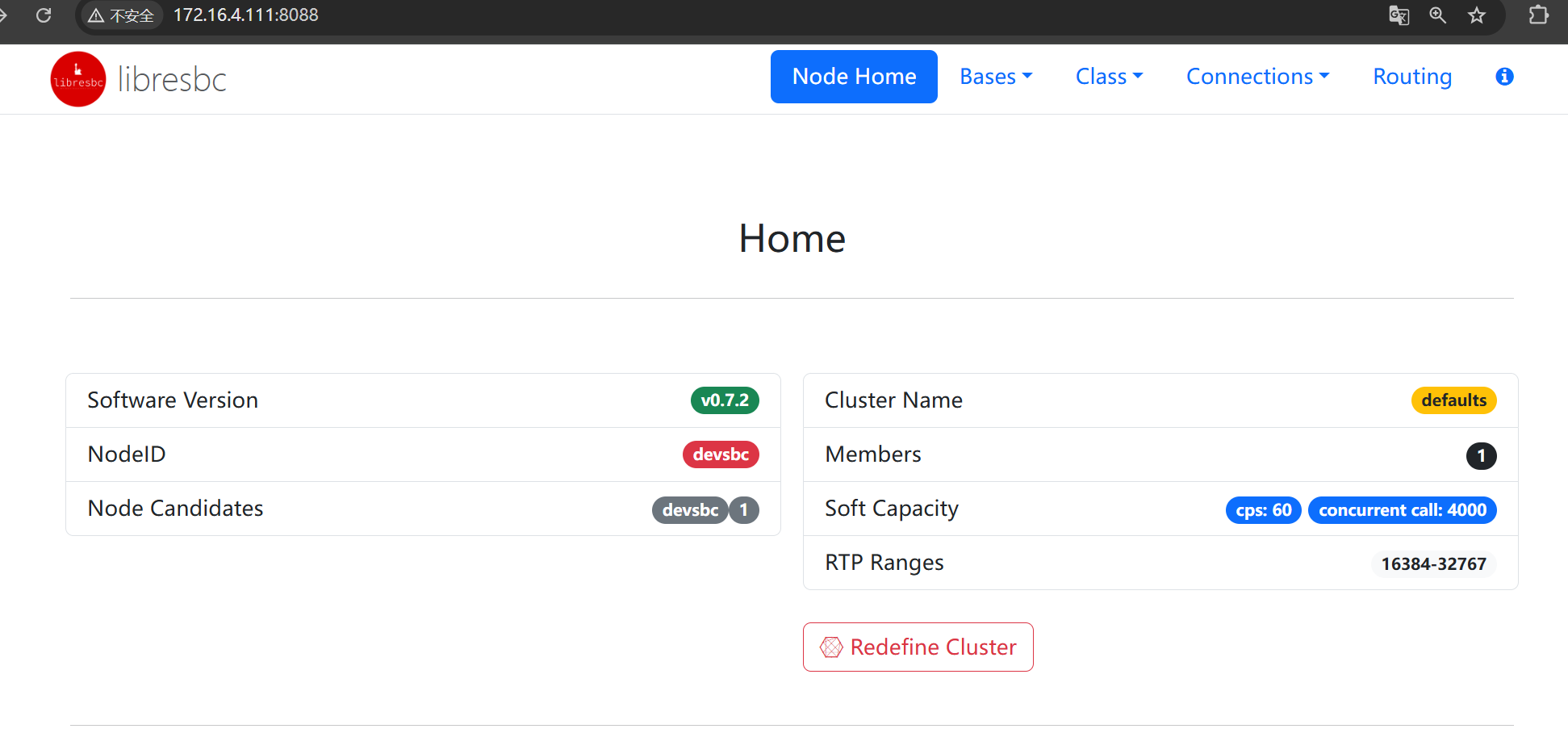
- 访问
http://172.16.4.111:8088,就可以看到页面了。
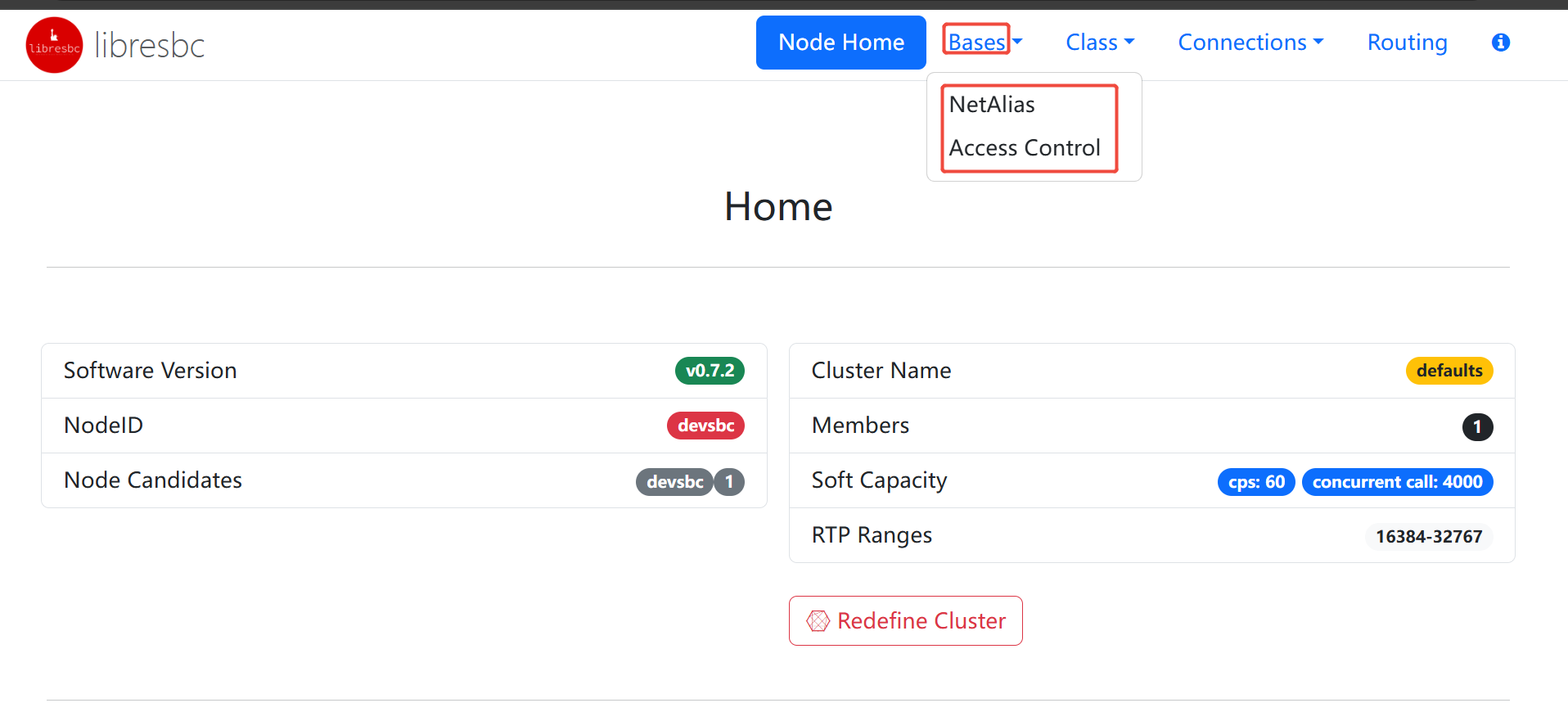
bases可以配置ACL和domains
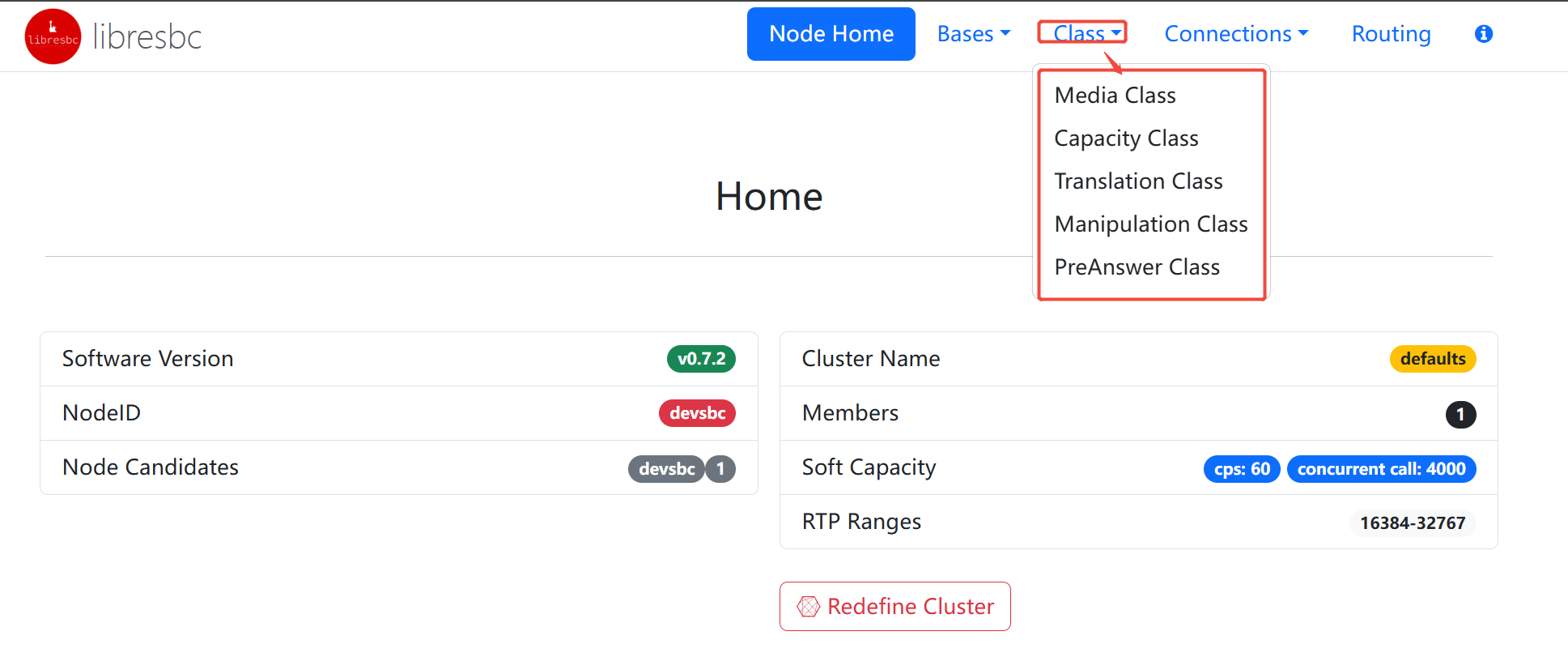
class可以配置媒体相关信息
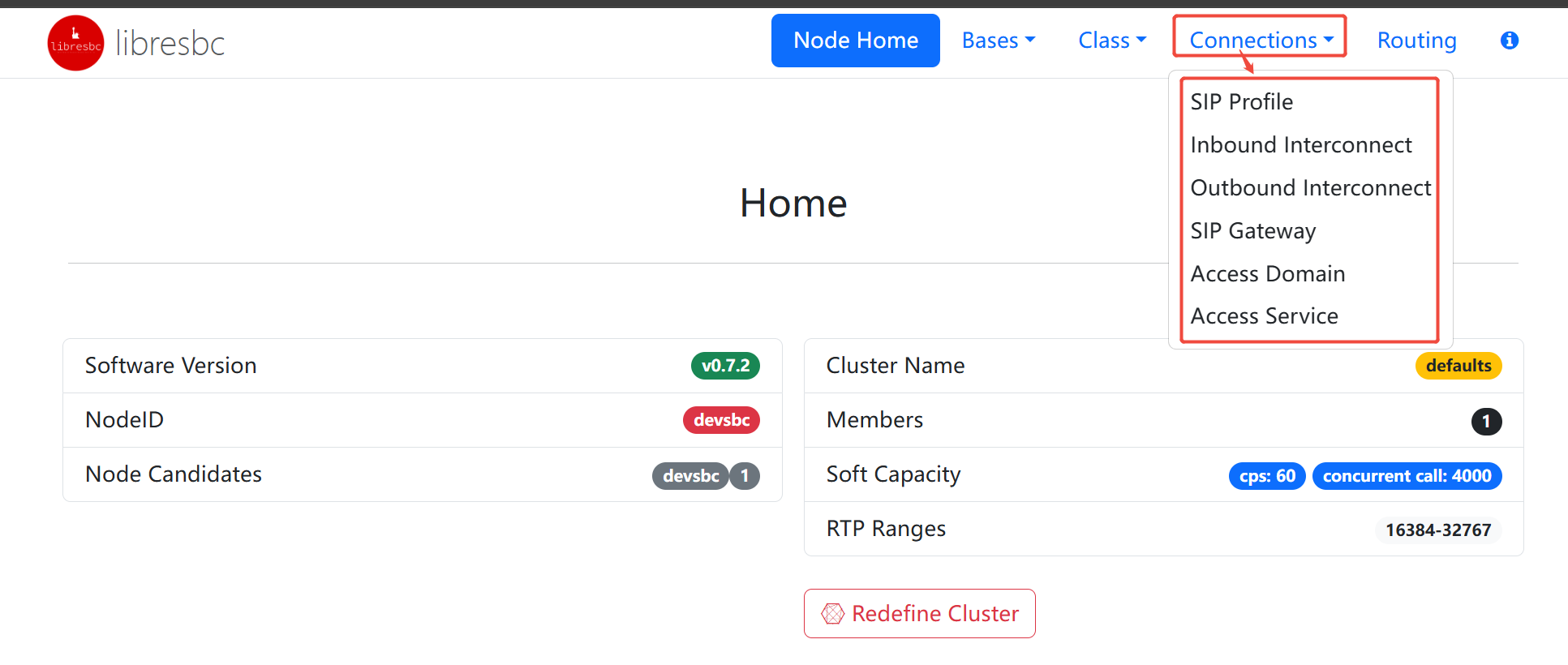
connection 可以配置sip profile
总结
libresbc依赖比较多,包括:redis, kamailio,freeswitch,python,lua。libresbc在部署上会有些坑,不过它涉及到的python和lua还是比较简单的,可以根据源码来修改。
下一章我们详细研究一下libresbc实现的原理和具体使用方法。